
How to Use the AI Article Generator in WordPress
Learn how to use the AI Article Generator Gutenberg sidebar tool to create SEO-friendly WordPress drafts, set metadata, and optimize content.
Article Generator
The Article Generator is a Gutenberg sidebar tool for turning a target keyword into an editable WordPress post draft with structure, SEO guidance, and post metadata.
Don't have the plugin yet?
The Article Generator is a core feature of the WpTheMoon AI Generator plugin. Visit our homepage to download and install the plugin to start generating content.
Use it when you want to turn a keyword into a structured article draft with headings, paragraphs, tags, excerpt text, and SEO metadata.
Generate an article
-
Open or create a WordPress post.
-
Open the right sidebar by clicking the Settings icon.
-
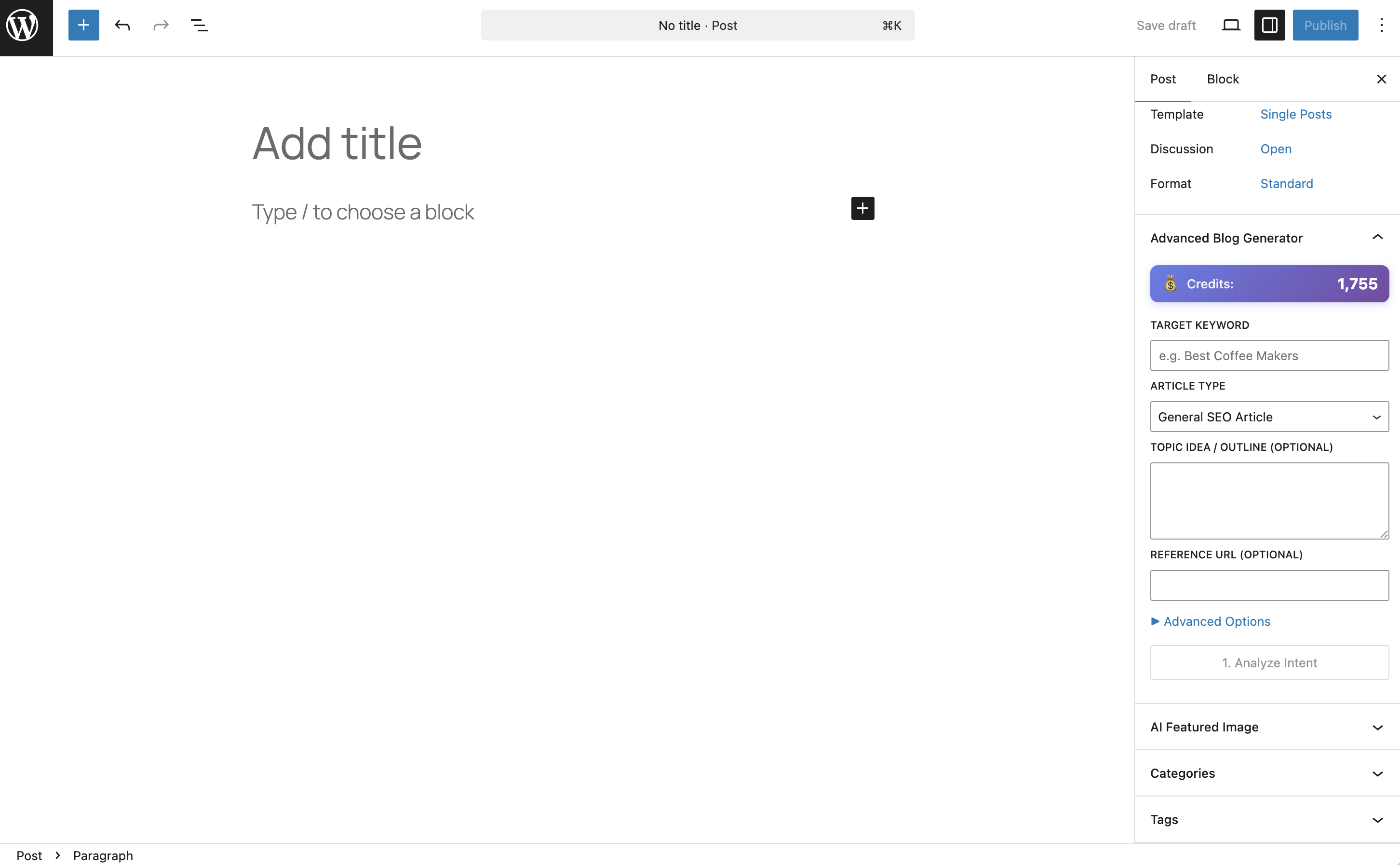
Find the Advanced Blog Generator panel.
-
Enter a Target Keyword.
-
Select an Article Type (e.g., General SEO Article, How-to Tutorial).
-
Click 1. Analyze Intent.
-
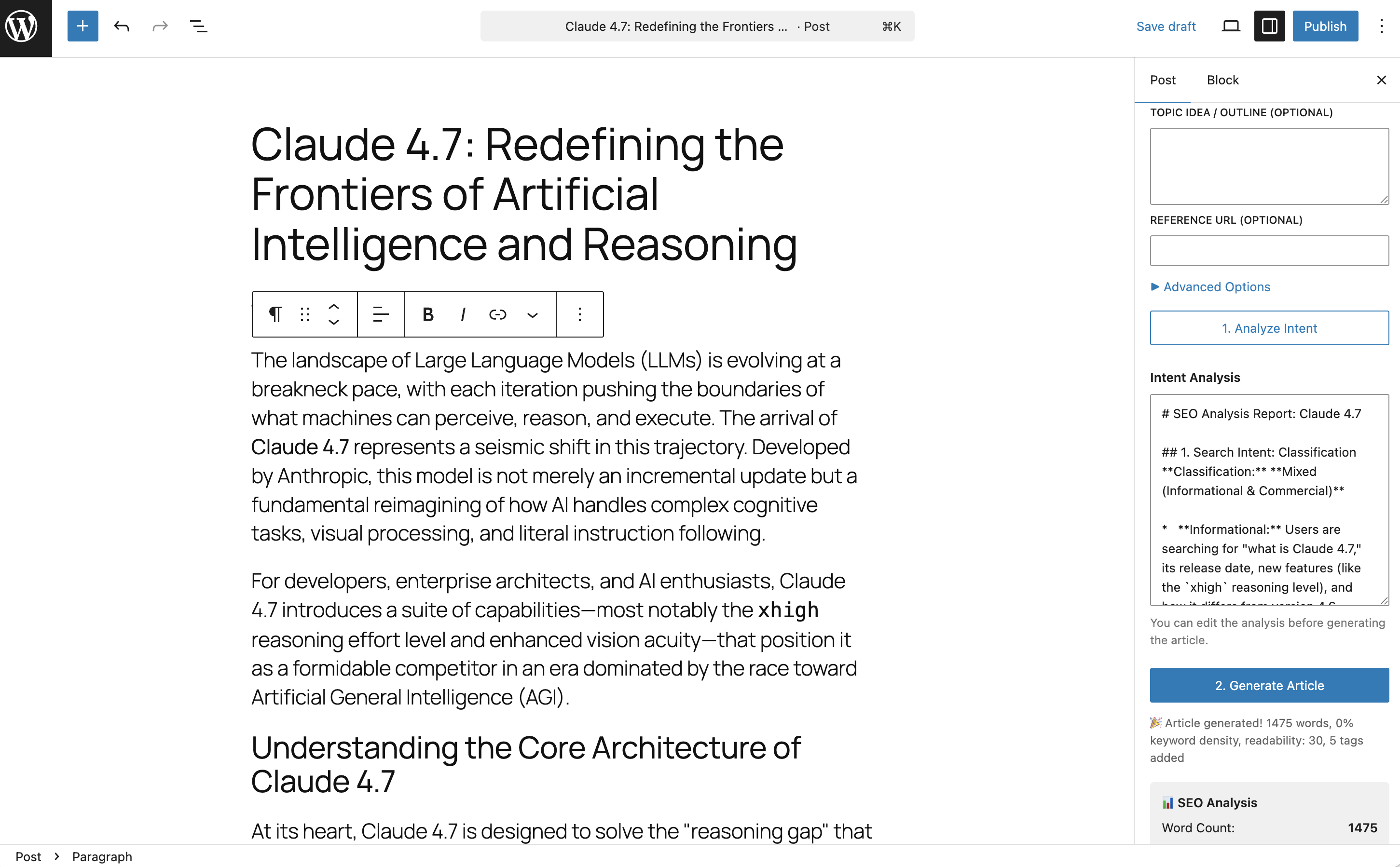
Review and edit the intent analysis if needed. This step is crucial for defining the article's angle.
-
Click 2. Generate Article.
The generated article is inserted into the editor as Gutenberg blocks, ready for you to edit.
Article types
- General SEO Article: A standard informational post.
- Best / Top List: A ranked recommendation article.
- Comparison (A vs B): A side-by-side comparison.
- How-to Tutorial: A step-by-step guide.
- Product Review: A review-focused article.
- Reference based: A post guided by a reference URL.
- Video Transcript based: A post based on transcript text.
Advanced options
You can expand Advanced Options to choose the content language. Use Auto Detect if you want the plugin to infer the language from the keyword.
For transcript-based articles, paste the transcript before generating.
What the plugin updates
After generation, AI Generator can:
- Set the post title: Automatically updates based on the AI's suggestion.
- Set the excerpt: Uses the generated meta description for the WordPress excerpt field.
- Insert blocks: Adds content as editable Gutenberg blocks.
- Add tags: Adds up to five generated keywords as WordPress tags.
- Save metadata: Records word count, keyword density, readability score, and the featured image prompt.
Troubleshooting
If you encounter issues during generation:
- Generation stuck/timeout: Ensure your API key is correct and you have enough credits. Check your server's network connectivity.
- Language mismatch: If "Auto Detect" fails, manually select your target language in Advanced Options.
- Blocks not appearing: Refresh the page and try again; ensure you are using the Gutenberg (Block) editor.
For more detailed solutions, visit our Common Issues & Troubleshooting page.
Tips for Best Results
- Keyword Quality: Start with a specific long-tail keyword (e.g., "best running shoes for flat feet") instead of a broad topic for more focused results.
- Refine Intent: Always review the Intent Analysis. Editing the focus at this stage ensures the AI follows your preferred narrative.
- Match Article Type: Choose the type that best fits the user's search intent. For example, use "How-to" for instructional queries.
- SEO Review: Check the generated tags and meta description before publishing to ensure they align with your overall SEO strategy.
FAQ
Can I edit the generated article?
Yes. The article is inserted into WordPress as standard, editable content blocks.
Does the plugin set the post title?
Yes. When a generated title is available, the plugin can set the WordPress post title automatically.
Can I generate in another language?
Yes. Use Advanced Options to choose a specific language or let the plugin detect it from the keyword.